
Beginner
1 min read
9/4/2025
Edit Branding
Editing Your Branding
Click on the “Account Setup” tab in the menu bar to the left and select “Branding”.
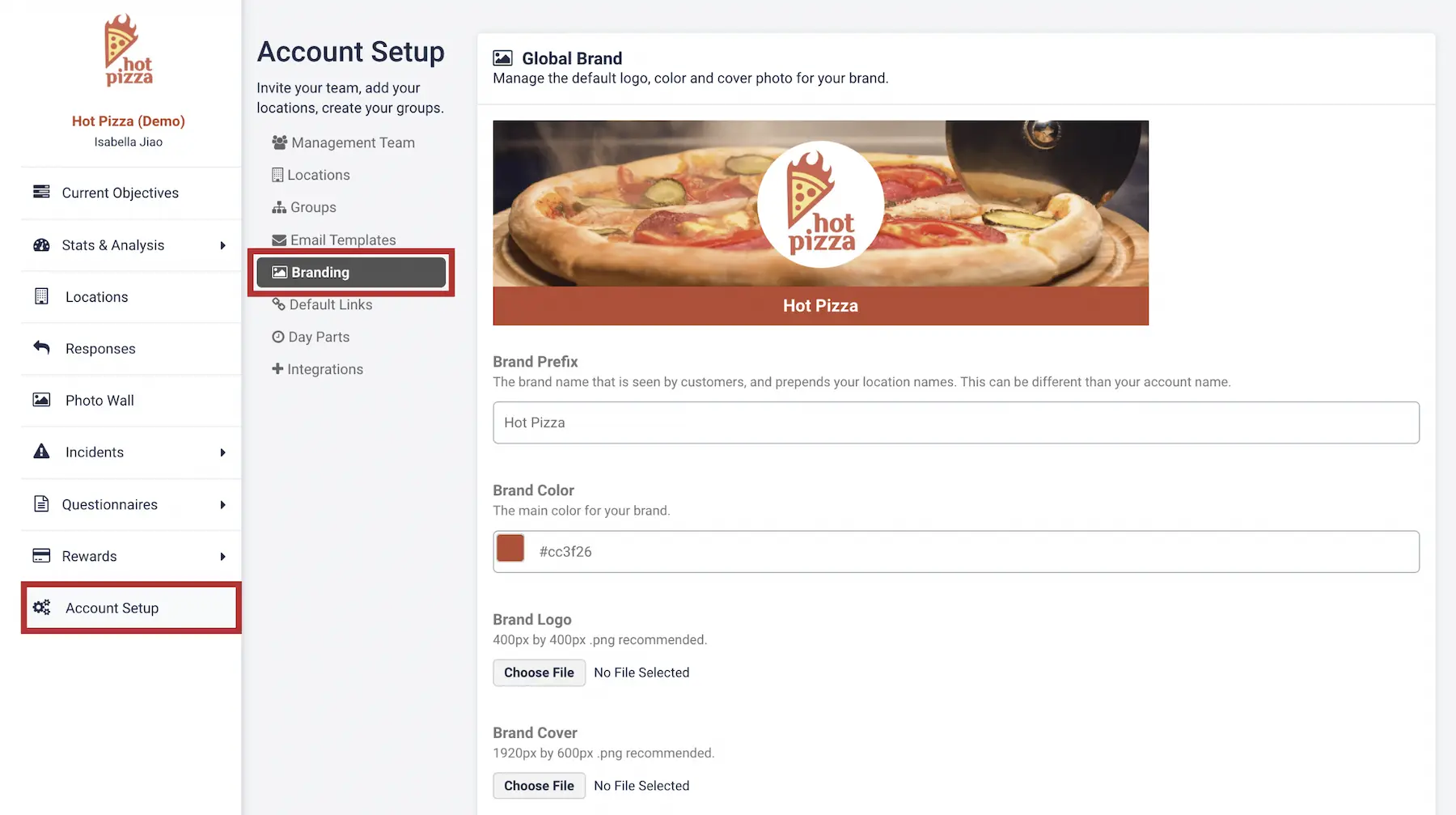
You can upload a custom logo, banner image, and your primary brand color.
- The recommended specs for the images are listed below each uploader.
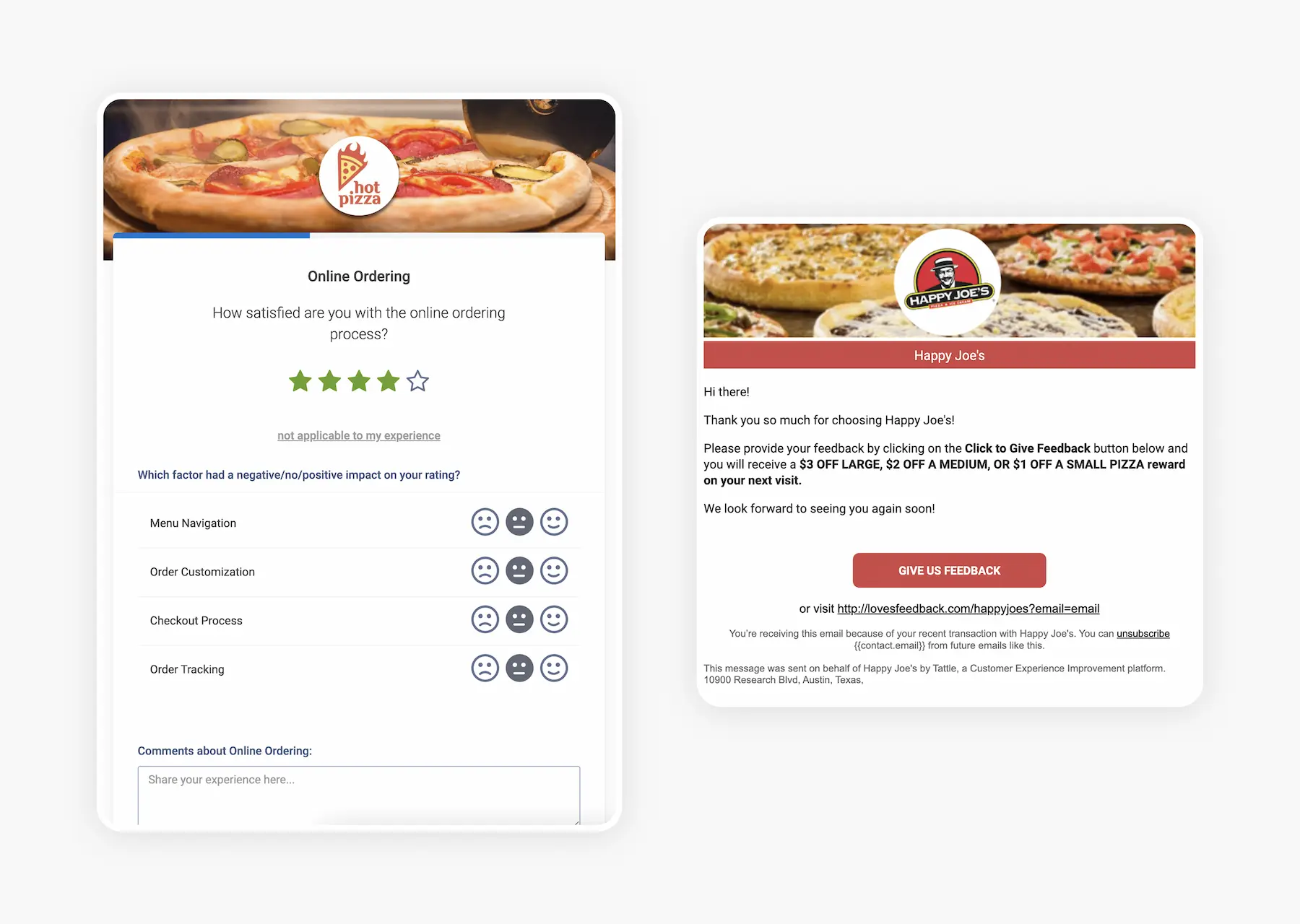
- For reference, the uploaded brand elements will appear in your Tattle Dashboard, as well as in any customer-facing surveys and emails.
You can see some examples below:
You've completed 0 of 9 articles in this category