
Beginner
1 min read
9/29/2025
Adding New Locations
1. Navigate to Account Setup
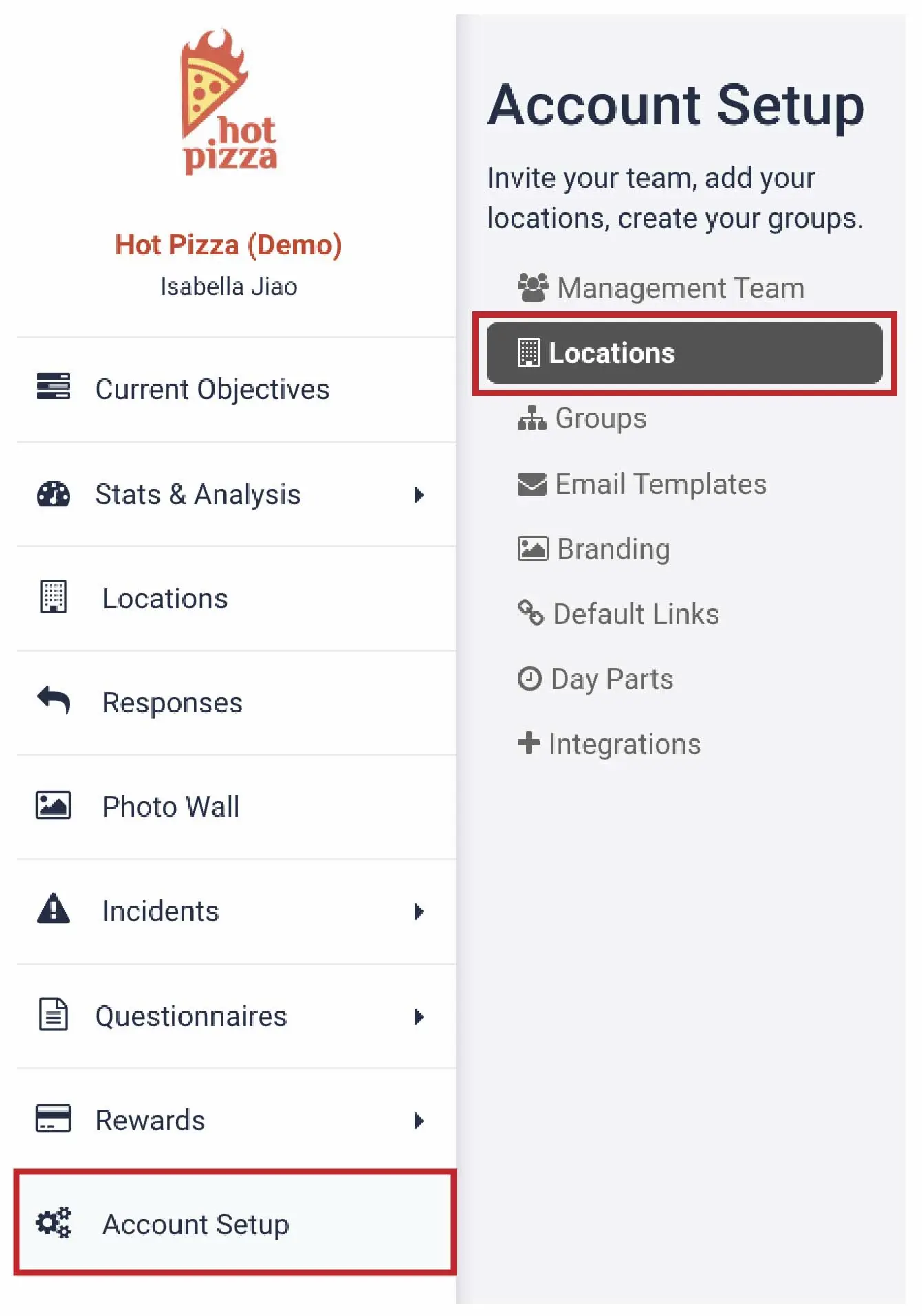
From your dashboard, go to Account Setup and select Locations.
2. Review the Locations Table
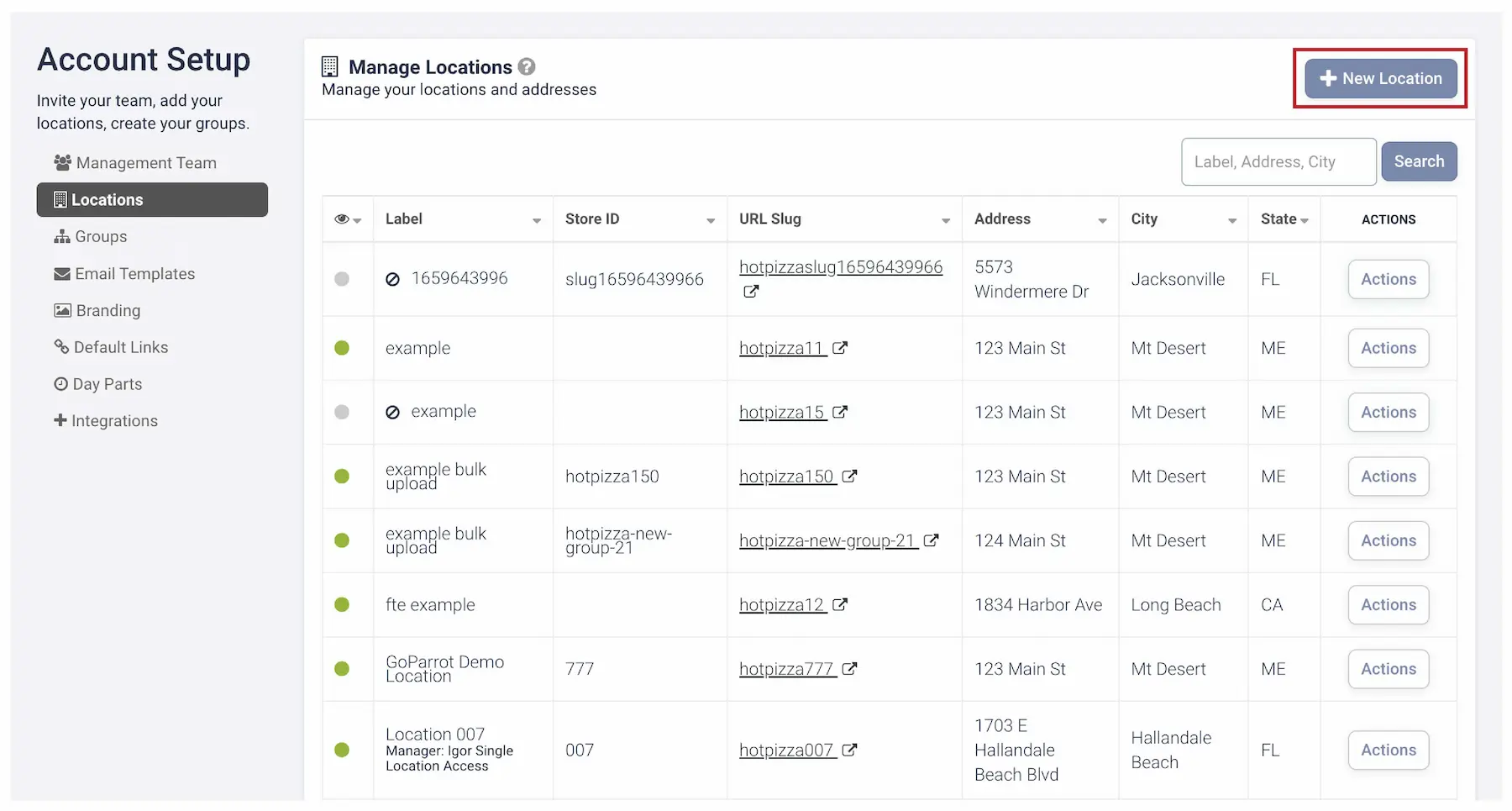
You’ll see a table with 7 different columns:
- Label: How the location appears within the Tattle Dashboard
- Store ID: (Optional) Store identifier for internal use
- URL Slug: Unique survey URL for this location (use this link for QR codes or marketing materials)
- Address: Street address of the store
- City: City where the store is located
- State: State where the store is located
3. Add a New Location
Select + New Location in the top-right corner of the screen to create a new entry.
You've completed 0 of 9 articles in this category