
Beginner
1 min read
8/24/2025
Manage Groups
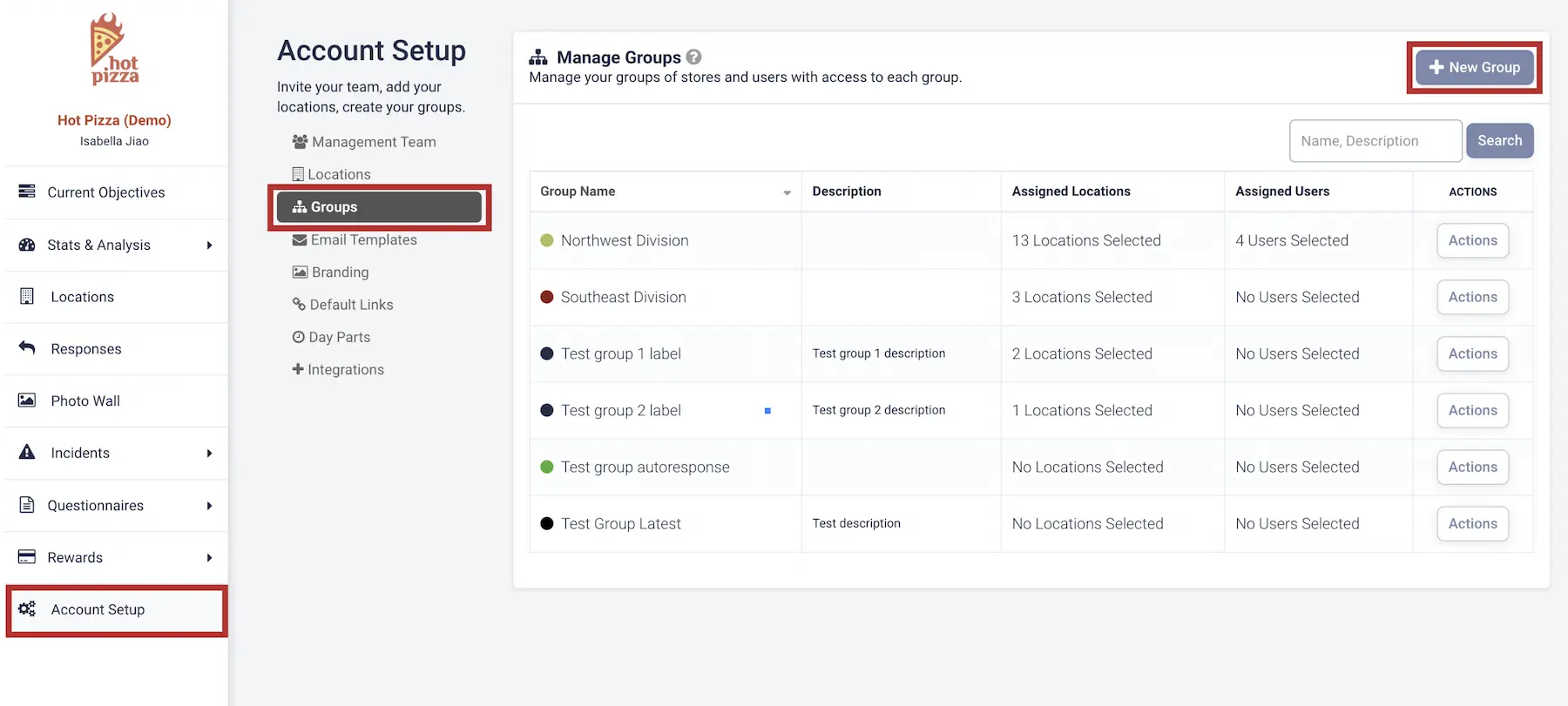
1. Open Groups
Click on the Account Setup tab in the left menu, then select Groups.
Next, click + New Group in the top-right corner to open the popup window.
2. Enter Group Details
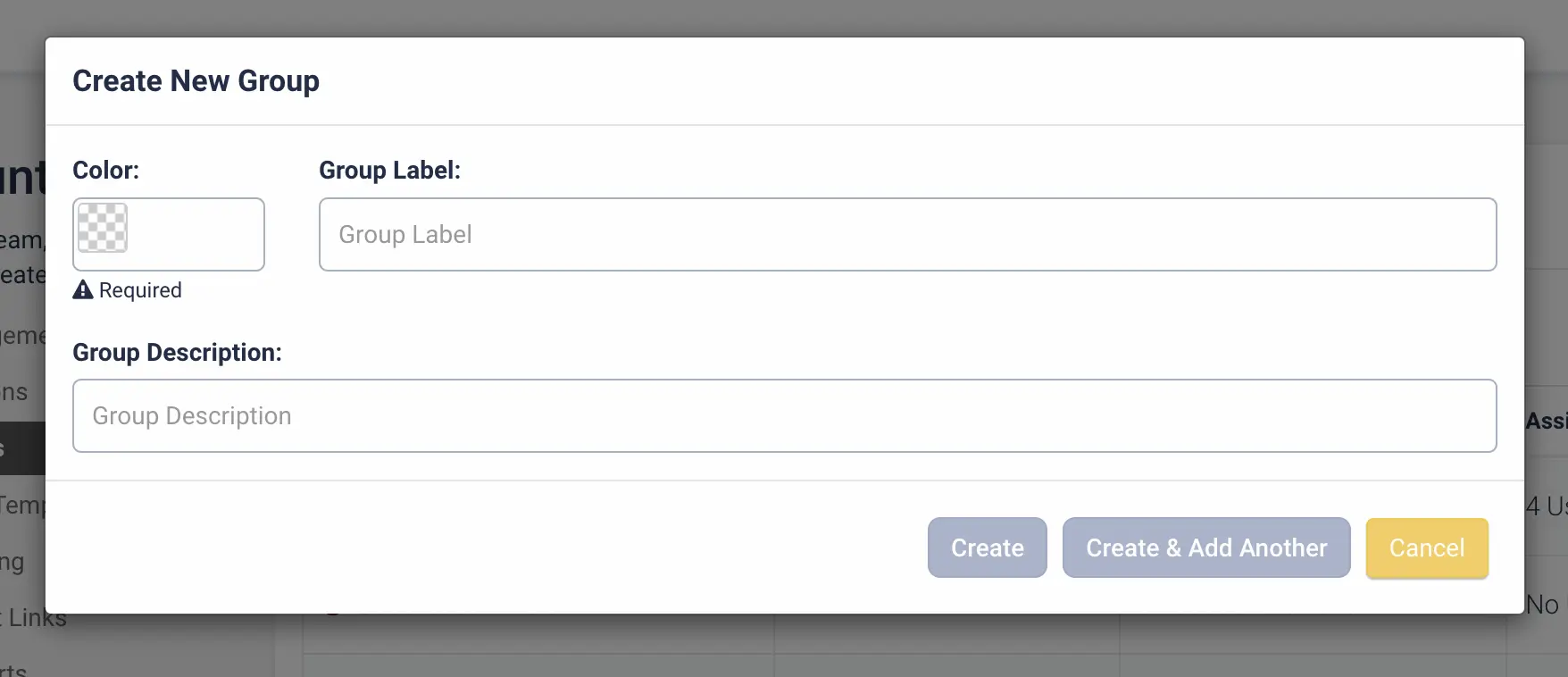
Provide the following information to create a new group:
- Color
- Group Label
- Group Description
3. Add Locations and Members
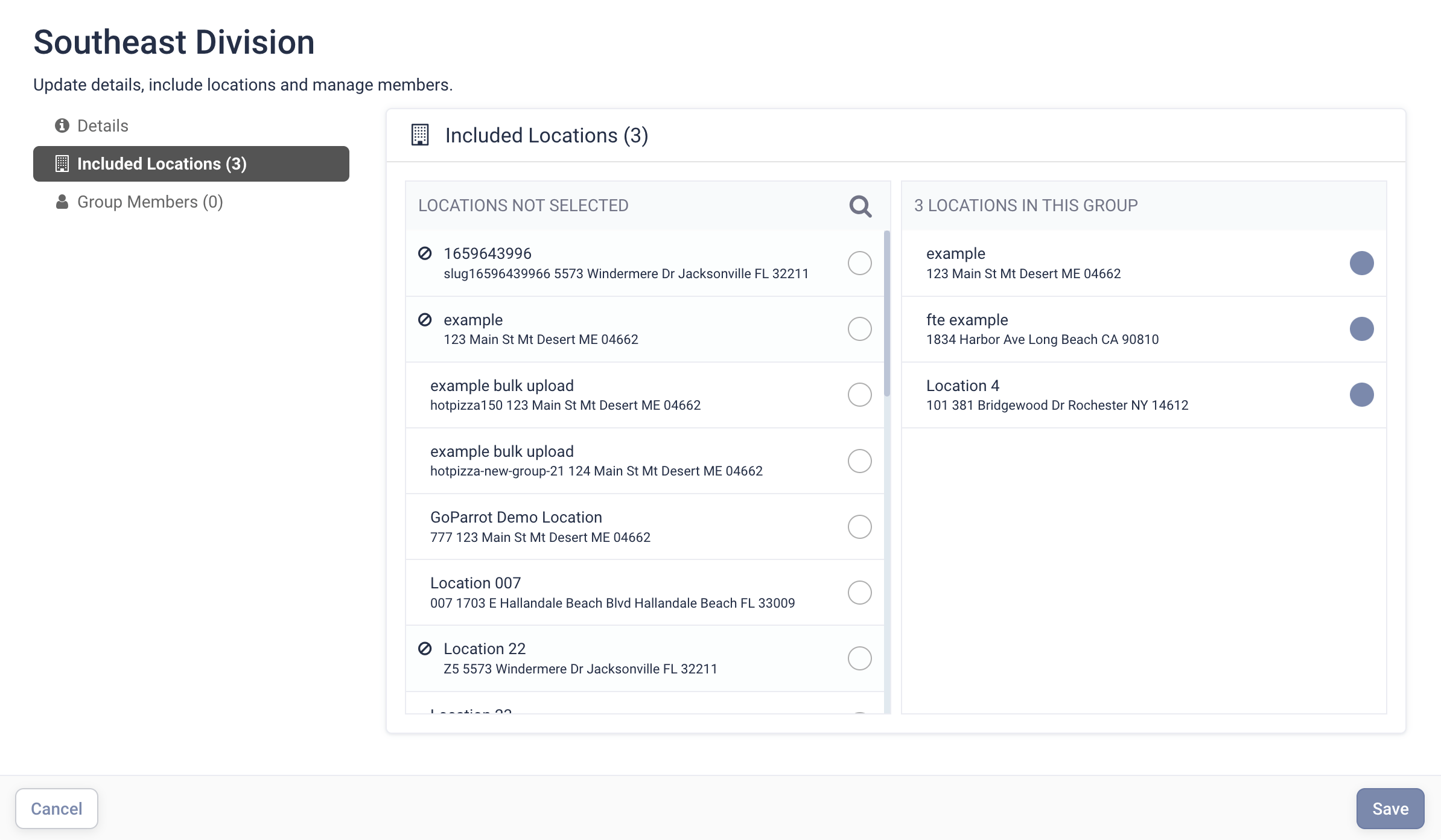
After creating the group, you’ll be prompted to:
- Assign locations to the group
- Add group members
4. Finalize the Group
Once you’ve selected the locations, click Add.
Your new group will be created and saved.
You've completed 0 of 9 articles in this category